
Four models generate most of the AI video worth posting in 2026: Runway, Kling, Luma, and Veo. They are not interchangeable. Each is strongest at a different thing, and for brand content those differences decide whether a clip looks like your product or looks like a guess.
Here is how they compare on the axes that actually matter when the goal is on-brand short-form, not a tech demo.
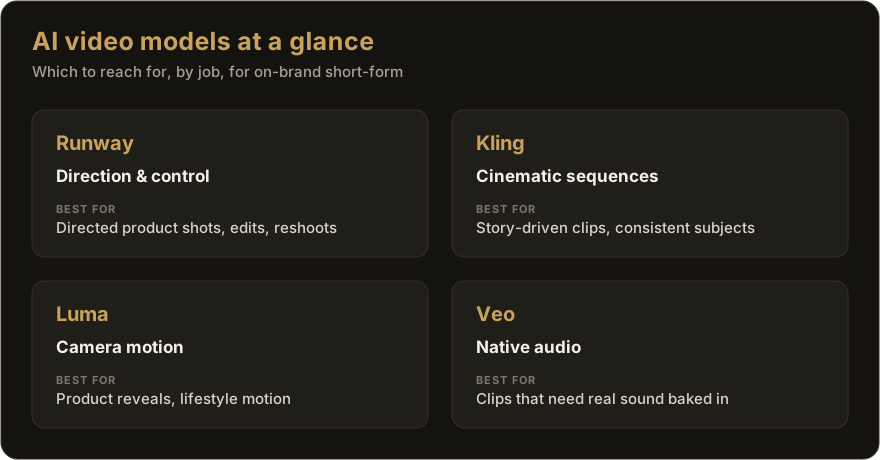
The short version
| Model | Strongest at | Weaker at | Best brand use |
|---|---|---|---|
| Runway | Direction and control: keyframes, motion brush, video-to-video | One-shot photoreal without setup | Directed product shots, edits, reshoots |
| Kling | Cinematic multi-shot sequences with consistent subjects | Fine directorial control | Story-driven sequences, consistent products |
| Luma | Smooth, believable camera motion | Dialogue and on-screen text | Product reveals, lifestyle motion |
| Veo | Native audio and strong prompt adherence | Availability and cost at volume | Clips that need real sound baked in |
Runway: control
Runway built its name on giving people directorial control instead of a slot machine. Keyframe editing, motion brush, and video-to-video let you steer a shot rather than reroll it until it looks right. For a brand, that control is the difference between "close enough" and "on-brand."
Reach for it when a shot has to hit a specific mark: a product turning a certain way, a camera move you can picture, a clip you need to adjust rather than regenerate. The tradeoff is that control takes setup. If you want a finished look from a single prompt, this isn't the fastest path.
Kling: cinematic sequences
Kling is the value pick for multi-shot, cinematic output that holds a subject steady across camera angles. That consistency is exactly what brand content needs, because the product has to look like the same product from shot to shot.
Reach for it when you want a short sequence with a story, not a single beauty shot. It gives up some of the frame-by-frame control Runway offers, so if you need to direct one precise movement, it can feel like steering from the back seat.
Luma: camera motion
Luma's Dream Machine is known for smooth, physically believable camera motion. Sweeps, dollies, and reveals come out feeling shot rather than simulated, which sells a product in a way a static generation can't.
Reach for it for the reveal: the clip that moves around a product or through a scene. It's weaker where words matter, so anything leaning on dialogue or crisp on-screen text is better handled elsewhere.
Veo: native sound
Veo's edge is native audio and tight prompt adherence. It generates the sound with the picture instead of leaving you to score it after, and it tends to do what the prompt actually asked. For a clip where sound is part of the point, that's a real advantage.
Reach for it when audio is load-bearing. The catch is practical rather than creative: access and cost at daily volume are the thing to plan around.
Why picking one is the wrong question
Notice that none of these is best at everything. A product reveal wants Luma's motion. A three-shot story wants Kling's consistency. A precise directed shot wants Runway's control. A clip that needs sound wants Veo. Commit to a single model and every clip that isn't its strength comes out a little worse than it should.
The better setup routes each shot to the model that's best for it. That's how an autopilot handles the "create" step: it doesn't marry one model, it picks the right one per shot, then attaches your real brand assets so the output is yours and not a generic render.
If your raw material is a product catalog, that routing matters even more. See turning a product catalog into social video for how the pieces fit together.
Don't shop for the one best AI video model. Shop for a system that uses the best one for each shot, and keeps your brand consistent across all of them.
Let the model choice happen for you
Protegee renders each shot on the best model for the job, attaches your real logo, and posts the result to every account on a schedule.
Sign up