
A faceless YouTube channel runs on six jobs: the script, the voice, the visuals, the edit, the captions, and the thumbnail. In 2026 there is a strong AI tool for every one of them, and most of them have a free tier or start at $20 a month or less. Picking the tools is the easy part. The hard part is that YouTube does not pay for videos that look mass-produced, and a stack of AI tools pointed at a template produces exactly that.
Below is the stack by job, with what each tool is best at, what it costs to start, and one honest limitation. Prices are US list prices checked in October 2026, billed monthly unless noted. Then: how to pick by channel type, what a full stack costs, and the monetization and disclosure rules the finished video has to clear.
The best AI tools for faceless YouTube channels, by job
| Job | Tool | Best at | Starts at | Honest limitation |
|---|---|---|---|---|
| Script | Claude | Long, structured scripts that hold one argument for ten minutes | Free; Pro $20/mo ($17/mo billed yearly) | Text only. It makes no images or audio. |
| Script | ChatGPT | Research, outlines, hook variations, plus image generation for thumbnail ideas | Free; Go $8/mo; Plus $20/mo | Default drafts read generic. Free and Go show ads. |
| Voiceover | ElevenLabs | Natural narration that holds up over a full long-form video | Starter $6/mo for 30,000 credits | The free plan has no commercial license. Starter covers roughly 30 minutes of speech a month. |
| Video | Kling 3.0 | Cinematic AI clips with a consistent subject across shots | Standard about $10/mo for 660 credits | Every clip spends credits. A long video needs many of them. |
| Video | Google Flow (Google AI Pro) | Veo 3.1 and Gemini Omni video, with native sound | $19.99/mo with 1,000 Flow credits | Higher-quality Veo tiers cost far more credits per clip. |
| Video (Shorts) | YouTube Shorts Remix with Gemini Omni | Remixing eligible Shorts with prompts and images, inside YouTube | Free | Remix only, and it is still rolling out in stages. |
| Editing | Descript | Editing the video by editing its transcript | Hobbyist $24/mo ($16/mo billed yearly) | Hobbyist caps you at 10 media hours and 400 AI credits a month. |
| Editing and captions | CapCut | Fast auto captions and Shorts edits | Free; Pro $19.99/mo | Price varies by region and app store. Its popular templates are everywhere. |
| Thumbnails | Canva | Thumbnail layouts with your fonts and colors saved in a brand kit | Free; Pro $18/mo or $180/yr | Popular templates look familiar to viewers. Customize them. |
| All-in-one | invideo AI | A full draft video (script, stock footage, voice, subtitles) from one prompt | Paid plans from $20/mo | Leans on stock footage, so output can look generic. Little scene-level control. |
| All-in-one | Protegee | Learns a brand, makes video on top models, and posts on its own to YouTube and four other networks | $39/mo after a 7-day free trial | Posts per month are capped by plan, and it takes about 30 days to learn a brand. Full autopilot starts on the $79 plan. |
Free stock footage fills the gaps between AI clips. Pexels allows commercial use of its photos and videos without credit, which makes it the default B-roll source for a channel on a budget.
What is the best AI for a faceless YouTube channel?
There isn't one. There is a stack, and the stack matters less than what you feed it. Every tool in the table is good enough. Two channels using the identical stack can land on opposite sides of YouTube's monetization line, because YouTube judges the finished video, not the software that made it.
Pick tools by the job that costs you the most time. For most long-form faceless channels that is the visuals, because a ten-minute video needs a new shot every few seconds. For Shorts channels it is usually the hook and the voice. Spend on the bottleneck. Use free tiers everywhere else.
Which AI should write the scripts?
Claude and ChatGPT both write a clean first draft, and both have a free tier. Claude is the stronger pick for long scripts that need to hold one argument from the hook to the payoff. ChatGPT is the stronger pick for breadth: research, ten hook variations, title options, and rough thumbnail concepts from its image generator, all in one place. Gemini is a reasonable third choice if you already pay for Google AI Pro.
None of them knows what your channel believes. Use the model for research summaries, outlines, and rewrites. Write the angle, the opening line, and the conclusion yourself. That is the part viewers stay for, and the part YouTube is looking for when it asks whether a video is authentic. Retention decides reach, as covered in how the YouTube algorithm works, and a generic script loses viewers in the first thirty seconds no matter how good the voice is.
Which AI voice works best for faceless YouTube?
The voice carries a faceless channel, so it is the one tool worth paying for early. ElevenLabs is the default for long-form narration because its voices hold up over ten minutes without drifting. Its free plan carries no commercial license. The Starter plan, $6 a month or about $5 billed yearly, adds one and includes 30,000 credits, which is roughly 30 minutes of speech. That is enough for a weekly Short habit or two long videos a month. A channel posting a ten-minute video every week will outgrow it and move to the next tier.
Judge a voice on a full script, not a one-line sample. Pacing, breaths, and how it handles numbers and names only show up at length. Then pick one voice and keep it. Viewers of a faceless channel recognize the voice the way they would recognize a host. For a wider comparison, see the best AI voiceover tools for short-form video.
Which AI makes the visuals for a faceless channel?
Usually two kinds of source working together. Stock footage covers the generic shots: a city at night, hands on a keyboard, a chart on a screen. An AI video model covers what stock can't: the specific scene your script describes. Generated clips are the most expensive seconds in the video, so use them where they carry the point and let stock fill the rest.
Kling and Google's Flow are the two subscriptions most faceless creators reach for. Kling's Standard plan runs about $10 a month for 660 credits, with first-month discounts common. Google AI Pro is $19.99 a month and includes Flow, where Veo 3.1 and Gemini Omni sit side by side, with 1,000 Flow credits a month on top of a small daily allowance. Veo comes in cheaper and more expensive tiers, and the top tier spends credits much faster, so draft on the cheap tier and save the expensive one for the shot that opens the video.
For Shorts, the cheapest serious option sits inside YouTube itself. Google announced Gemini Omni at I/O on May 19, 2026, and it is rolling out at no cost in YouTube Shorts Remix and the YouTube Create app. It remixes an eligible Short with prompts and images. Shorts made with YouTube's own AI tools are labeled as AI automatically. For still images such as scene art or thumbnail backgrounds, Midjourney's Basic plan is $10 a month. The full field of video models, and what each costs per second, is in the best AI video generators for social media.
Watch for sameness. A model asked for the same style every week returns the same look every week, which is exactly the pattern the inauthentic content rule describes. Vary the shots, the pacing, and the structure from video to video.
Which tools handle the edit and captions?
Descript and CapCut cover most faceless channels between them. Descript turns the voiceover into a transcript, and you cut the video by deleting words. That is the fastest way to tighten a ten-minute narration. Its Hobbyist plan is $24 a month, or $16 a month billed yearly, with 10 media hours and 400 AI credits.
CapCut is the faster tool for Shorts: auto captions and vertical templates. The free tier covers a lot. Pro lists at $19.99 a month in the US App Store, though CapCut prices vary by region and device. The edit is where most of the human input shows, so whichever editor you pick, it should be one you will open every day.
Which AI makes YouTube thumbnails?
Thumbnails are two steps: an image and a layout. Generate the image with ChatGPT or Midjourney, then build the layout in Canva, where a brand kit keeps your fonts and colors the same on every upload. Canva Pro is $18 a month or $180 a year. A consistent thumbnail style is one of the few kinds of sameness that helps a channel: viewers learn to spot your videos in a crowded feed.
Is an all-in-one AI video tool worth it?
For speed, yes. For a channel that has to stand apart, only if you edit what it gives you. invideo AI turns one prompt into a full draft: script, stock footage, voiceover, subtitles, and music. Paid plans start at $20 a month. Reviewers consistently say the output leans on stock clips and can look generic, and a prompt does not pin down exact scenes or pacing. Treat the draft as a rough cut, not a finished video.
Protegee works differently. It learns a brand's look and voice, makes Shorts and long-form video on the top models, and posts to YouTube, TikTok, Instagram, Facebook, and X on a schedule. Plans start at $39 a month after a 7-day free trial. It fits a faceless brand or channel that wants steady output without daily work. A channel that wants to hand-tune every cut of a long video will still want its own editor from the stack above.
How do you pick AI tools for your type of faceless channel?
Start from the format, not the tool list. Each common faceless format leans on a different part of the stack.
Explainer and science channels
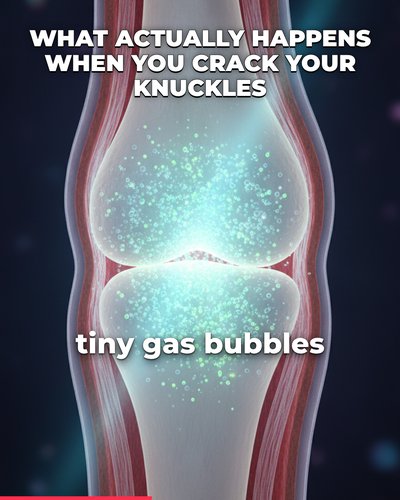
The bottleneck is accurate visuals of things you can't film: a joint, a cell, a black hole. Spend on an AI video model and use stock for the connective shots. Script with Claude, voice with ElevenLabs, edit in Descript. Fact-check every claim before you record, because a wrong fact in an explainer is the comment that pins itself to the top.
List and top-10 channels
The bottleneck is volume. Ten items need ten sets of visuals, so lean on stock footage and save AI clips for the top three. ChatGPT is good at the research pass and at generating many candidate items to cut down. List channels are also where templated sameness shows fastest, so vary the structure, not just the items.
Story and POV channels
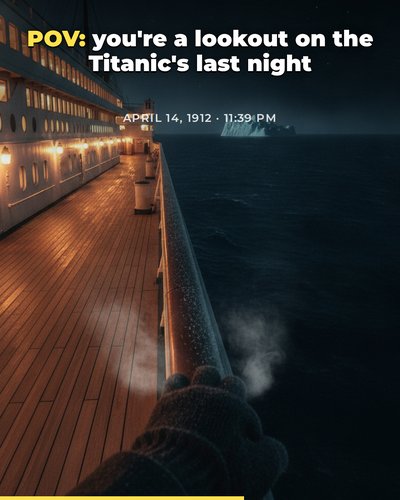
The bottleneck is a consistent world: the same ship, the same light, the same character from shot to shot. Stock can't do this, so the AI video model carries the whole video. Kling is built to hold a subject steady across shots. The voice matters more here than anywhere else, so spend on ElevenLabs and keep one narrator.
Finance and money channels
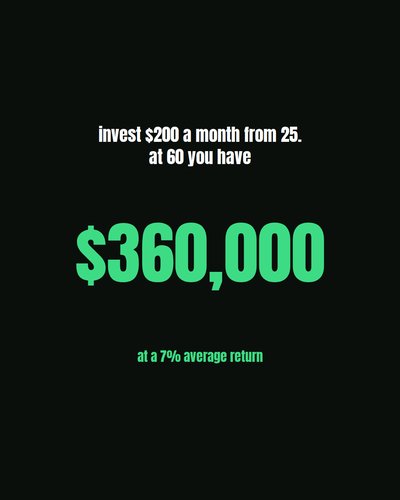
The bottleneck is clarity, and the visuals are mostly numbers and charts, not scenes. Kinetic text and simple charts in CapCut or Canva often beat generated footage. Check every figure: a compound-interest number that is wrong costs more trust than any visual gains.
How much does a faceless YouTube AI stack cost?
Less than most people expect. A lean stack is Claude Pro ($20), ElevenLabs Starter ($6), and the free tiers of CapCut, Canva, and Pexels: about $26 a month. A fuller long-form stack adds Google AI Pro ($19.99), Descript Hobbyist ($24 billed monthly), and Canva Pro ($18), for about $88 a month. Yearly billing on Claude, ElevenLabs, Descript, and Canva brings that down further.
The tools are rarely the expensive part. The expensive part is the hours of judgment that make each upload different from the last. Budget for those first.
Can faceless AI channels get monetized on YouTube?
Yes. Nothing in the YouTube Partner Program requires a face on camera, and YouTube has said AI tools are allowed. Today a channel needs 1,000 subscribers plus either 4,000 qualified public watch hours in the past 12 months or 10 million qualified Shorts views in the past 90 days. Meeting the numbers starts a manual review. It does not guarantee approval.
That bar is going up for newcomers. From February 1, 2027, new applicants will need 1,000 subscribers plus either 8,000 qualified watch hours in the past 365 days or 20 million qualified Shorts views in the past 90 days. Channels already in the program keep their status.
The real filter is content, not numbers. On July 15, 2025, YouTube renamed its repetitious content policy to inauthentic content and clarified that it covers mass-produced and repetitive videos, such as narrated stories with only superficial differences or slideshows with the same narration. YouTube called it a minor update, since that content was never eligible to earn. Enforcement has since sharpened. In January 2026, YouTube removed a set of large AI slop channels; by Kapwing's count, 16 of the 100 most-subscribed AI slop channels it tracked were gone, with about 35 million subscribers between them. YouTube pointed to its existing rules against spam and deceptive practices, not a ban on AI.
Could a viewer tell your last ten videos apart without the titles? If each one makes a different argument with different visuals, you are making a channel. If they share a script skeleton, a stock voice, and the same five transitions, you are making a template, and templates do not get paid.
Do you have to disclose AI on YouTube?
Sometimes. YouTube requires creators to disclose realistic content made with altered or synthetic media: content that makes a real person appear to say or do something they didn't, alters footage of a real event or place, or shows a realistic scene that never happened. You disclose with the AI use setting in YouTube Studio when you upload.
You do not need to disclose AI used for productivity. Scripts, ideas, automatic captions, and clearly unrealistic or animated visuals are exempt. Videos made with YouTube's own AI tools are labeled automatically, and YouTube may also add a label on its own when its systems detect significant photorealistic AI. YouTube says disclosing does not limit a video's audience or its eligibility to earn money. Not disclosing can: creators who consistently skip it risk a label applied for them, content removal, or suspension from the Partner Program. When in doubt, disclose.
What this means for a faceless brand
The tools are cheap and good. The work that remains is judgment: a point of view, a consistent voice, and enough variety that each upload stands on its own. That holds for a brand as much as for a creator. If you want the rollout as a plan rather than a tool list, start with the 30-day plan to put faceless brand content on autopilot.
Put your brand's social on autopilot
Protegee learns your brand, makes the video, and posts to every account on its own. You approve; it runs.
Sign up